
|
|
BudgieDownUnder | Projects |
GitHub profile: budgiedownunder (Chris Budgen)
Welcome to my GitHub Pages site! 😊
This is an experimental project that I’m currently working on in order to explore various programming languages, technologies and language-to-language integration. At its core, it contains a set of tools and libraries for managing and solving mazes that are then utilised in various application scenarios.
So far, I’ve covered the following within it:
Creating library crates in Rust that support the creation, editing and solving of two dimensional mazes
Creating a Rust console application that leverages the Rust library crates for maze management and calculation
Implementing automated unit and mock testing (dependency injection) in Rust
Automating Rust documentation-generation with cargo doc
Web Assembly implementation and generation (wasm32 and wasm-bindgen) in Rust
Generating JavaScript APIs from Rust crates (wasm-pack)
Rust web server application that:
Rust library crates for maze calculation and storage and exposes them as a RESTful Web APIactix to serve the API and utoipa to publish it as an OpenAPI-compliant interface for use in third party products such as SwaggerImplementing a .NET to Web Assembly (maze_wasm) interop library (Maze.Wasm.Interop) in C# that supports Wasmtime (for Windows, Android and iOS) and Wasmer (for Android and iOS)
Implementing automated .NET API testing with xUnit
Implementing a cross-platform .NET MAUI app in C# for visually designing and solving two dimensional mazes on desktop, mobile and tablet devices
Automating C# API documentation generation with DocFX
Combining C# and Rust documentation into a single static website with use of iFrame containers
Architecture diagramming using PlantUML
Automating image generation workflows using GitHub Actions
Automating build and testing workflows using GitHub Actions
The API documentation that is being generated is automatically deployed to this GitHub Pages site and can be found here.
An architecture diagram explaining how the various components link together can be found here.
The Maze Console application is written in Rust and provides a vehicle for manually interacting with the maze-related Rust API. It was developed
with two purposes in mind:
It supports a simple menu system:
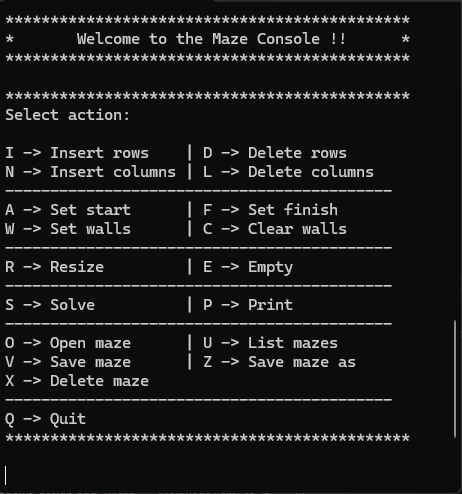
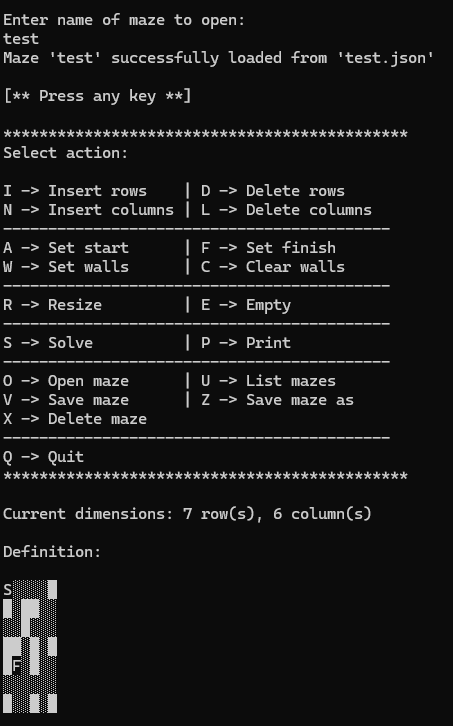
This allows the user to define and store mazes in the local application folder, which can be opened and displayed as shown in the following screenshot:
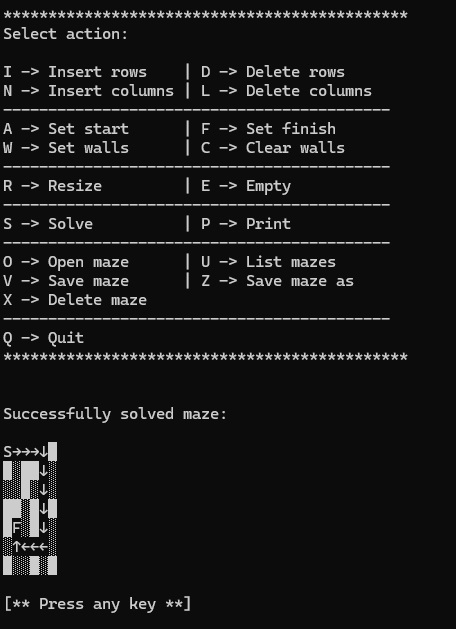
Once defined, the maze can then be solved. If sucessful, the solution’s path is then displayed using arrow characters as shown below:
Automated testing of the console application is performed via dependency injection. This is achieved by injecting a mock application object that implements the App trait. This simulates user key presses and captures the corresponding output responses. The test process then verifies that those responses match the expected output.
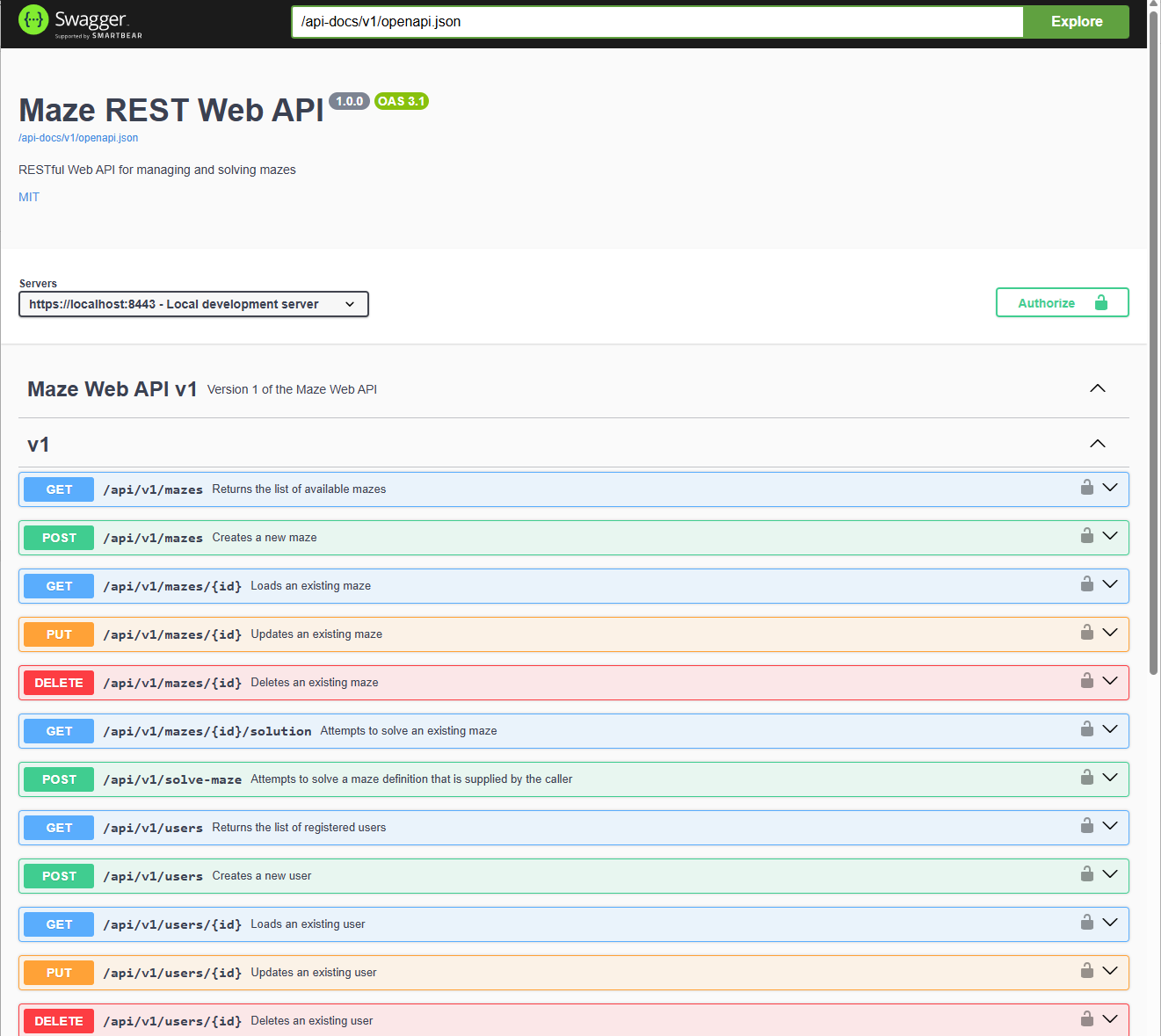
The Maze Web Server Console is a cross-platform application developed in Rust which publishes a RESTful Web API compatible with the OpenAPI specification.
It allows users to manage centrally stored maze definitions (create, get, update, delete, list) and to solve them.
The screenshot below shows the API being accessed in a Swagger UI page that is served by the application:
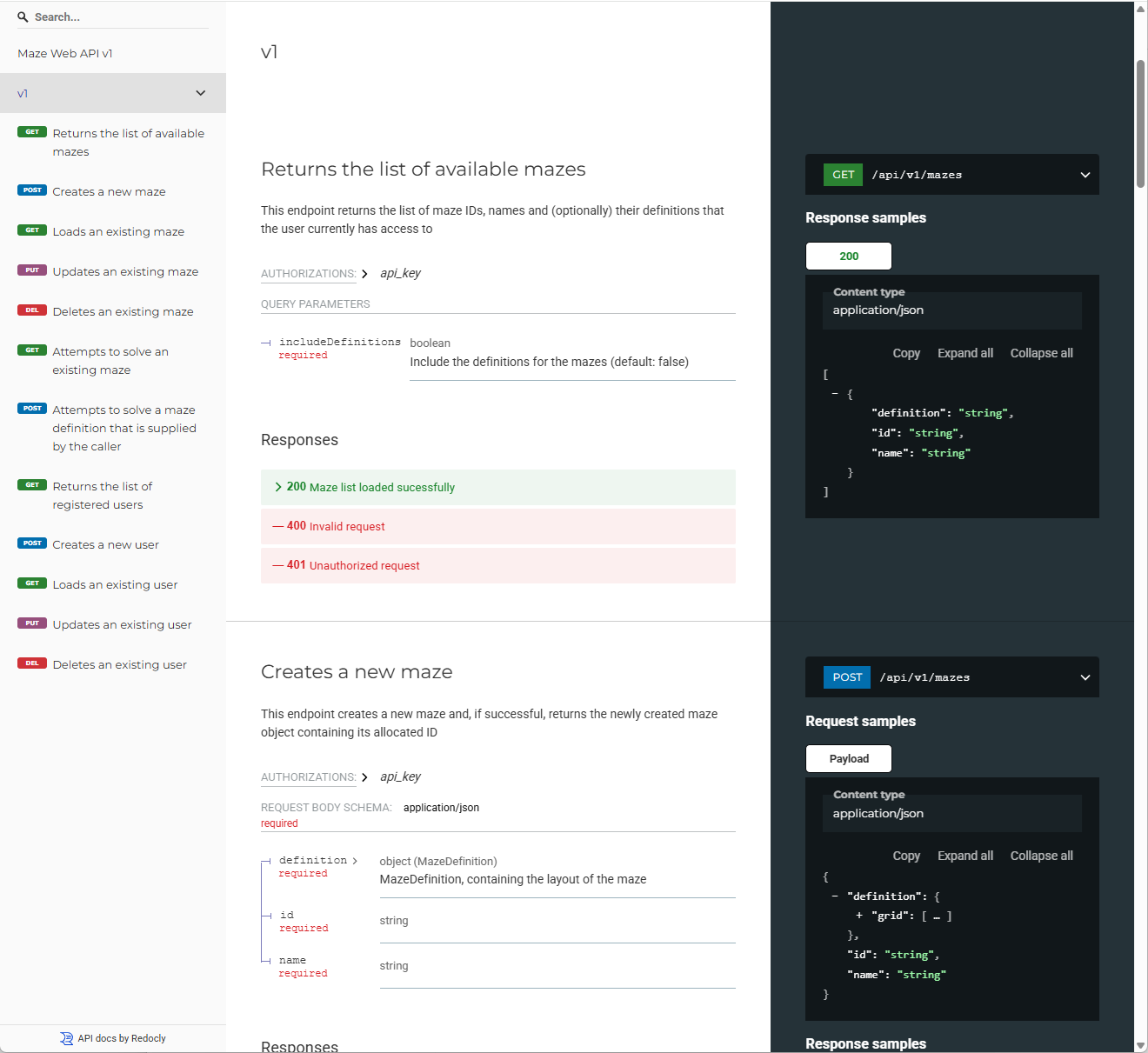
whereas this shows it being viewed via a Redoc page:
The Maze MAUI App is a cross-platform application developed in C# with MAUI. It allows users to visually design and solve two dimensional mazes on desktop, mobile and tablet devices.
In order to support visual editing, I decided to implement a custom InteractiveGrid control as I could not find a suitable control elsewhere (that was free!). I’m sure suitable ones must exist somewhere but, either way, it was a useful exercise learning how to build a MAUI control from scratch so that it plays nicely with pointer-based, keyboard-based and touch-only devices but also supports multi-cell selection (which is important for the editing experience).
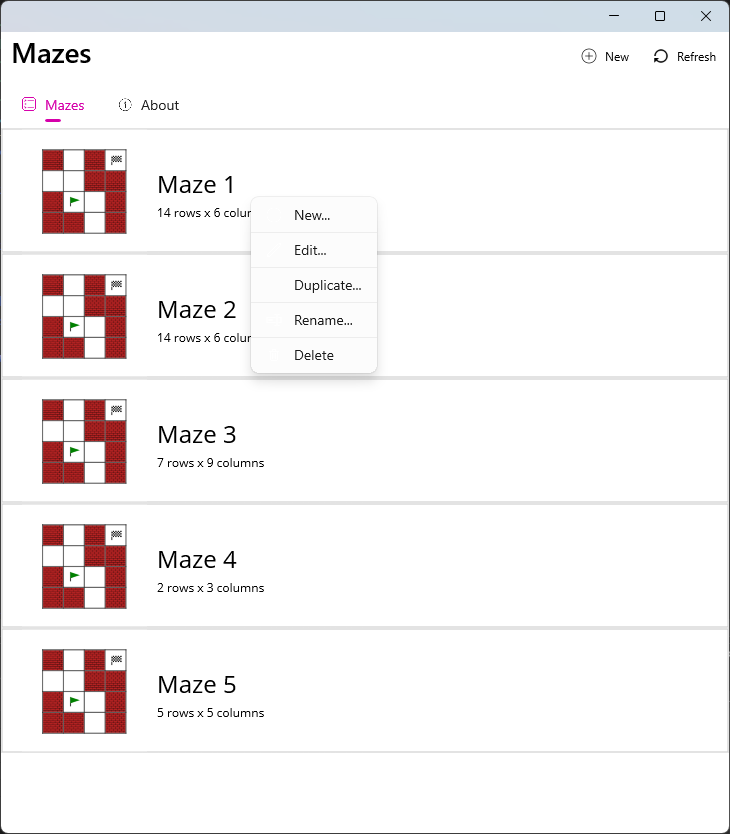
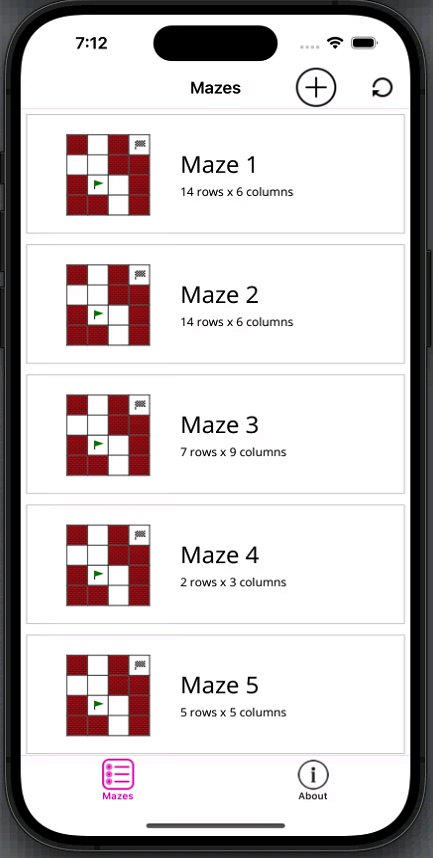
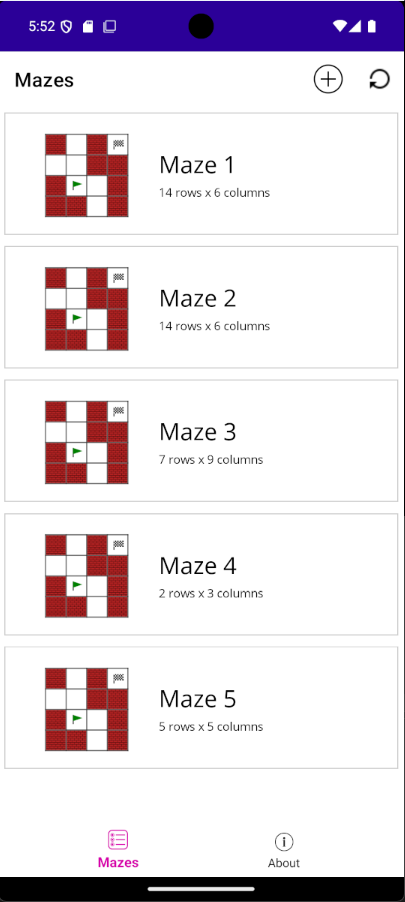
Mazes are loaded and saved via the Maze REST Web API and displayed as a list on the Mazes page. The screenshots below show the available mazes being loaded on Windows, iOS and Android devices:
| Windows | iOS | Android |
|---|---|---|
 |
 |
 |
The user is able to create, edit, rename, duplicate and delete mazes from this page, either from a popup menu (as shown above for Windows) or by swiping left on touch-only devices:
| iOS | Android |
|---|---|
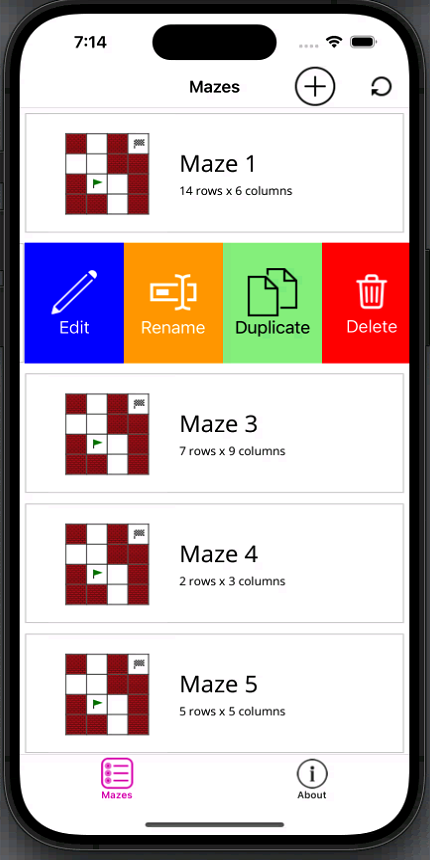 |
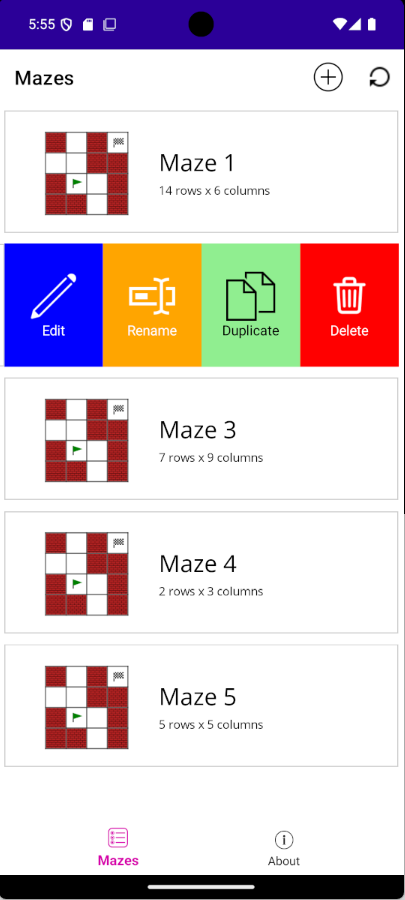 |
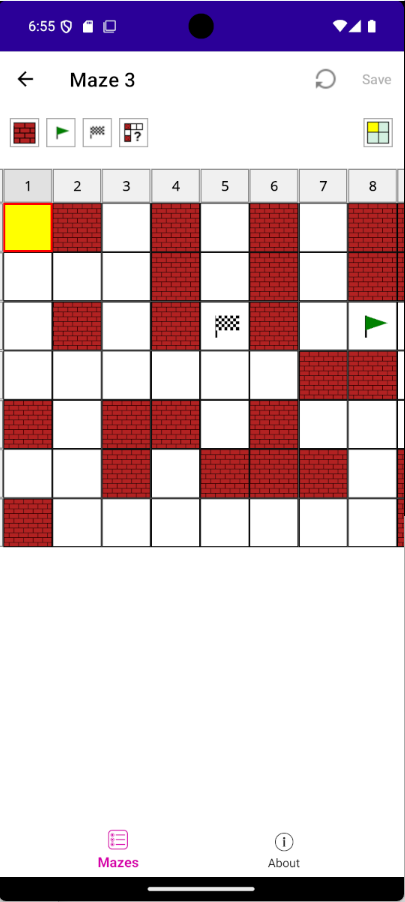
Mazes are designed and saved via the Maze page, which appears when double-clicking/tapping a maze or choosing to Edit via swipe-left:
| Windows | iOS | Android |
|---|---|---|
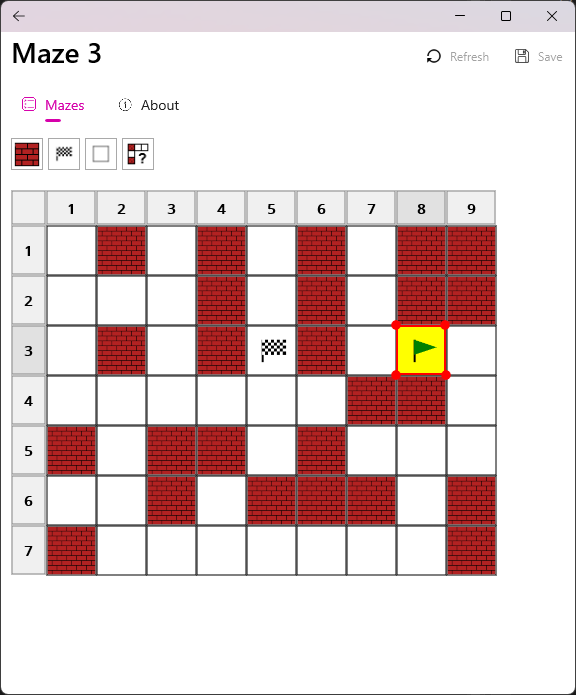 |
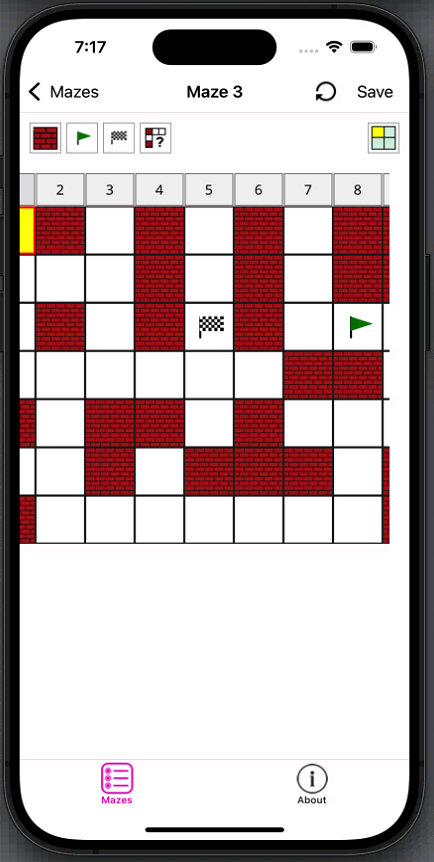 |
 |
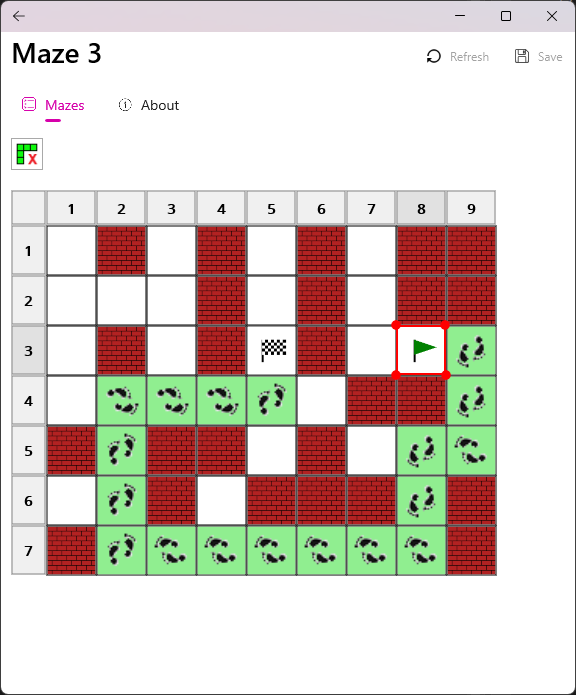
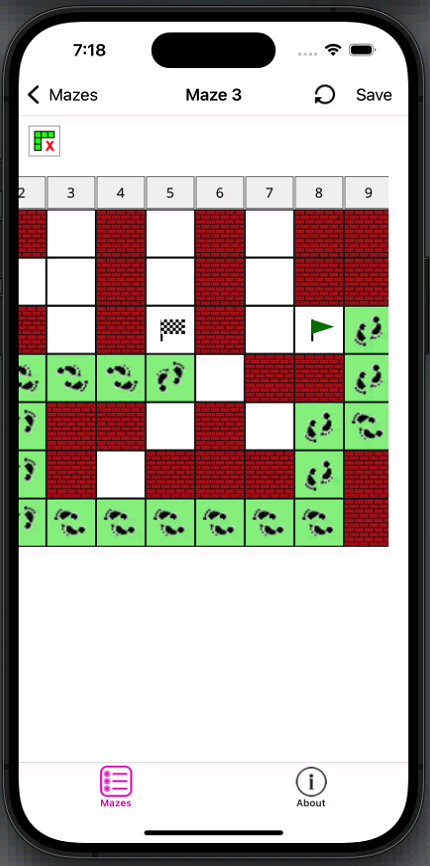
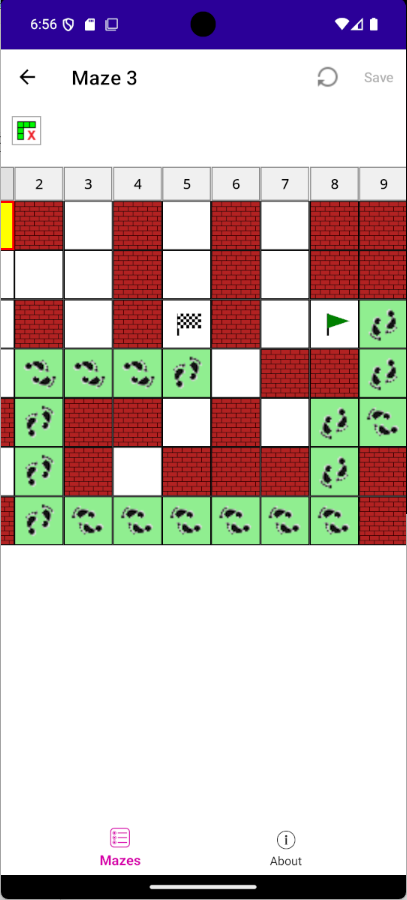
Once designed, mazes can be solved by clicking the Solve toolbar button. This uses the maze_wasm WebAssembly to solve for the optimum solution path, which is then displayed with a green highlight as shown below:
| Windows | iOS | Android |
|---|---|---|
 |
 |
 |
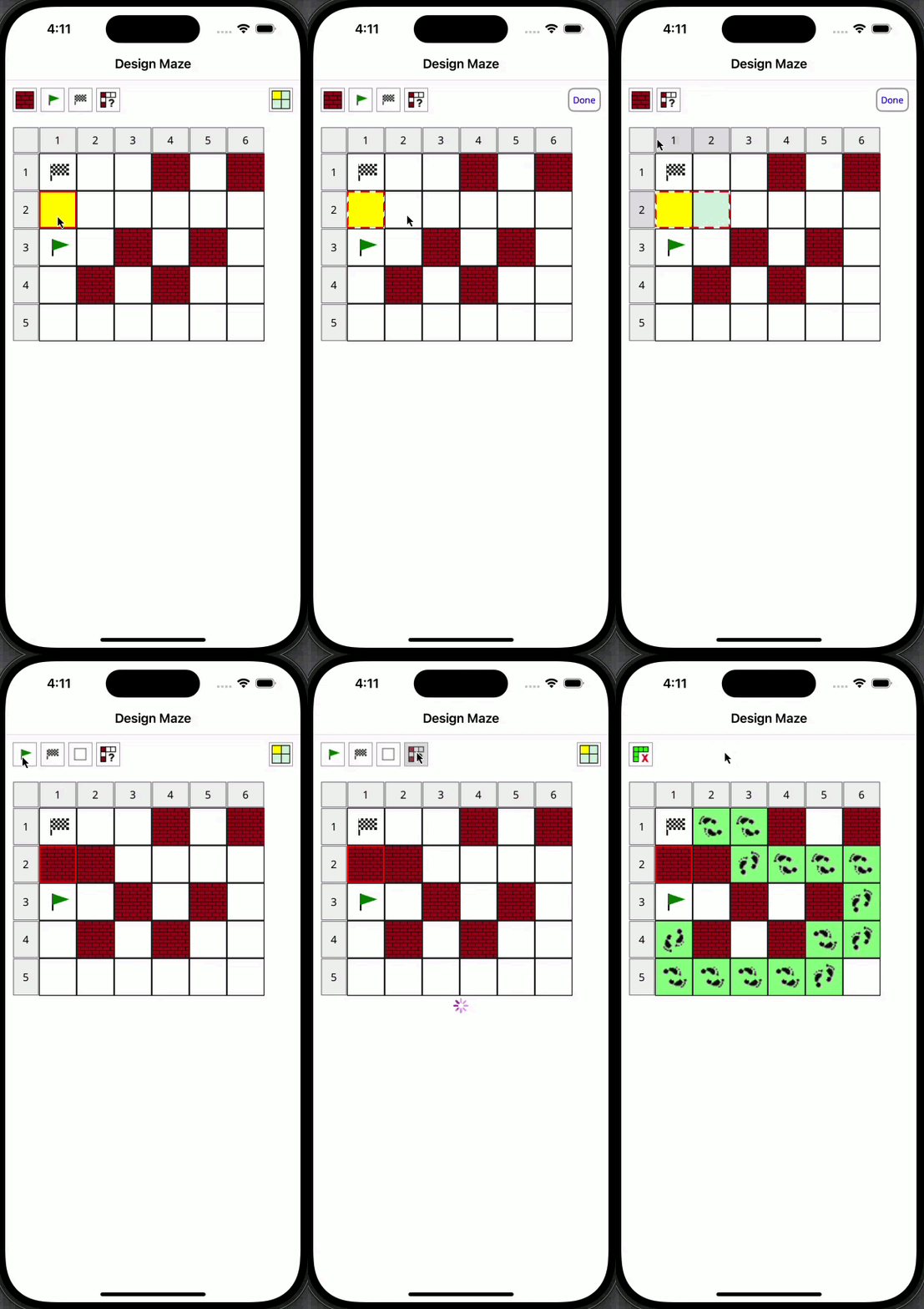
This short animation clip demonstrates solving a more complex maze on Windows, before then introducing a blocking wall that forces the solver to go via a different route on the next solve attempt:

Finally, this clip shows the design and solve processes being performed on an iOS device using extended (animated) selection:
There are a number of APIs implemented so far:
| Type | Description | Documentaion |
|---|---|---|
.NET |
Maze, MAUI and Web Assembly interop APIs | See here |
JavaScript |
Maze definition and solver API | See here |
Rust |
Maze definition, storage can solver APIs | See here |
Web API |
Maze management and solver APIs | See here |
WebAssembly |
Maze definition and solver APIs | See here |
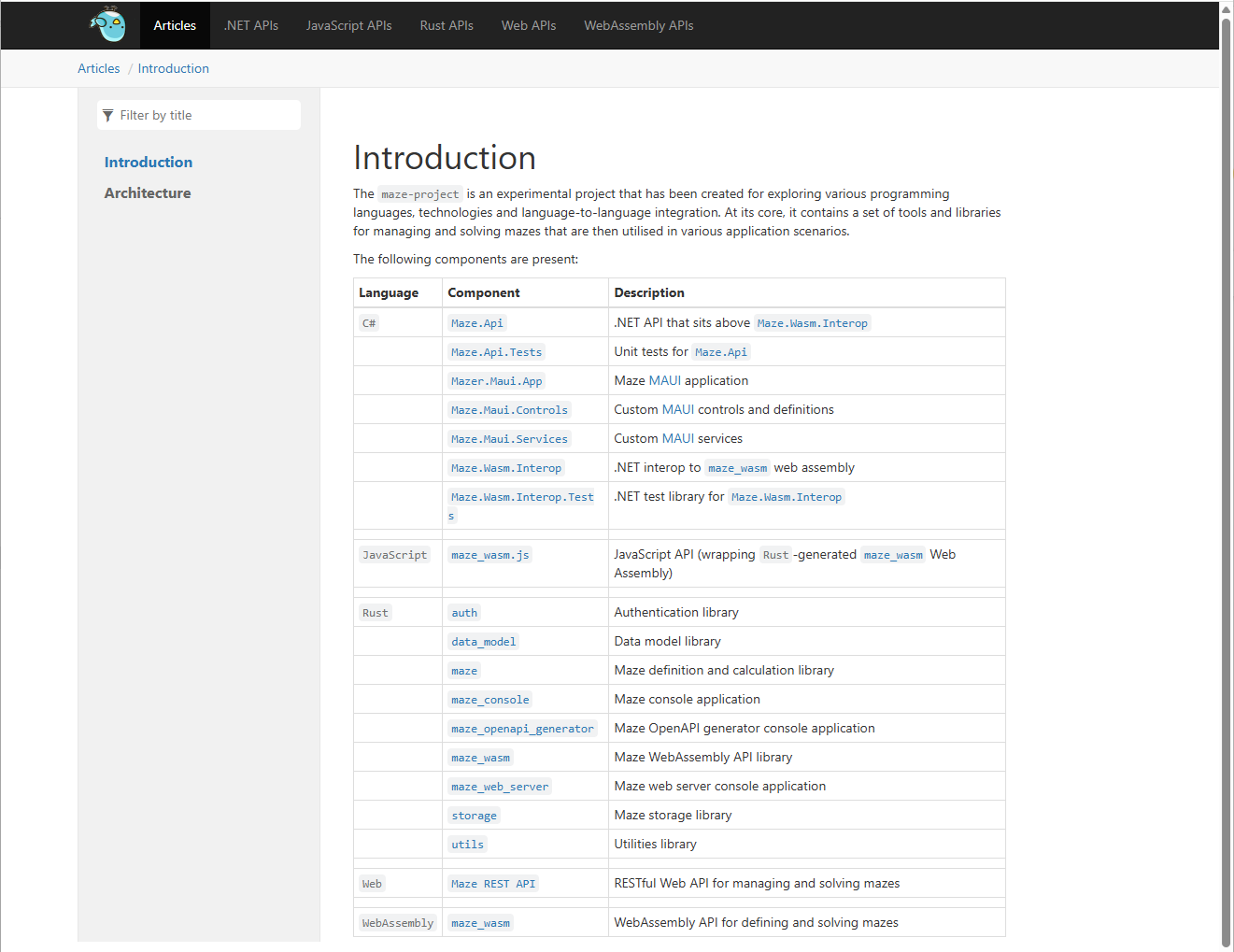
Help documentation is automatically generated for all the APIs, namely .NET/C# (using DocFX), JavaScript, Rust (using cargo doc), Web and WebAssembly.
The generated documentation is then combined into a single static website by using iFrame containers, as shown below:
This documention is automatically deployed to this GitHub Pages site whenever commits are made to the main branch of the maze-project GitHub repository.
The latest copy can be found here.